
Loading article
Loading page...
Amazon listing optimization is the art and science of fine-tuning your product pages to rank higher in search, get more clicks, and ultimately, convert more shoppers into buyers. It's a strategic blend of compelling copy, high-quality visuals, and smart keyword placement designed to win over both Amazon's A10 algorithm and real customers.
Welcome to the playbook for mastering Amazon. This isn't just another guide about stuffing keywords into your listing; it's a strategic framework that real brands use to scale. We're going to cut through the noise and give you an actionable process for turning casual browsers into loyal customers.
You’ll learn how to decode customer search intent, structure your listing for maximum visibility, and build a solid foundation that makes every ad dollar work harder. Forget generic advice—this guide is built on cross-category experience for ecommerce leaders who demand measurable results.
Let’s get started.
Effective Amazon listing optimization really boils down to a continuous three-stage cycle. First, you focus on getting found (Discover), then you persuade the shopper to buy (Convert), and finally, you analyze and refine everything to grow (Scale). Each stage builds on the last, creating a powerful growth engine for your brand.
This simple flow chart breaks down the core process from discovery to scaling.
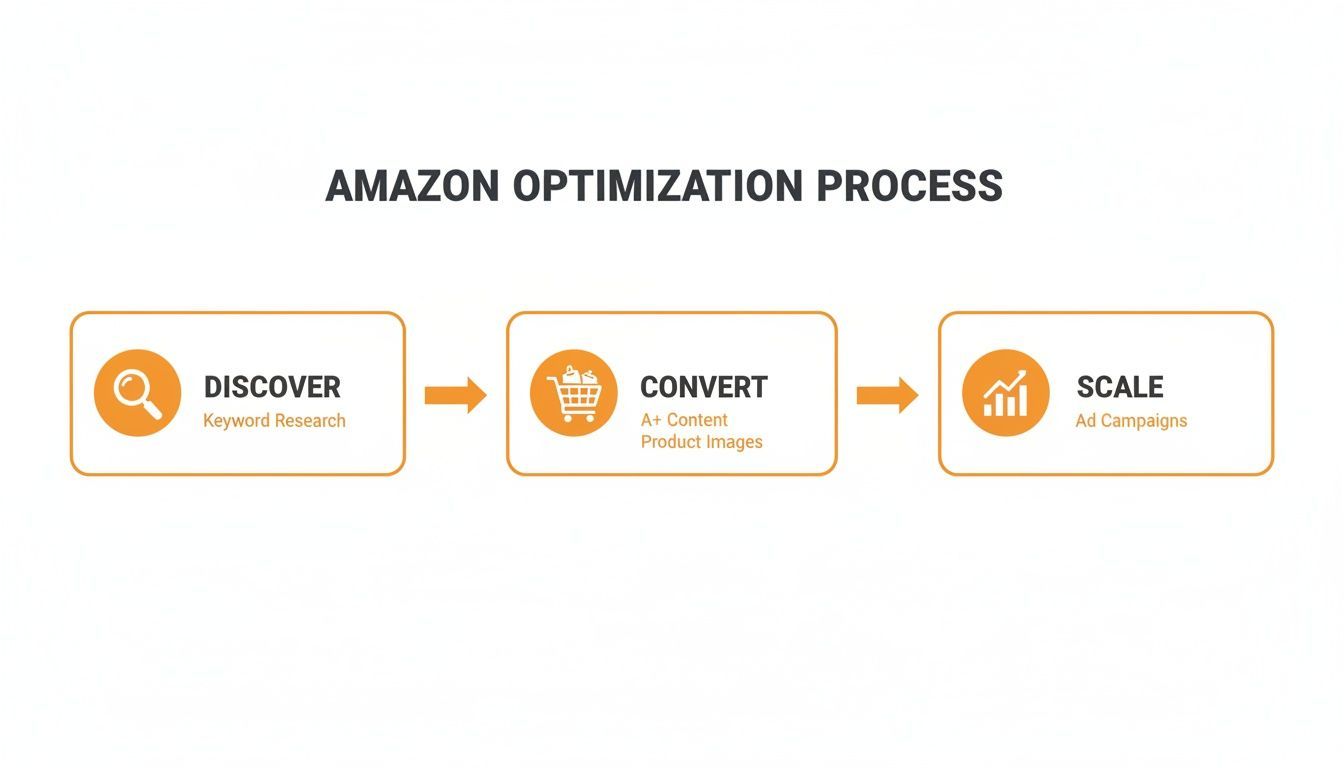
As you can see, success isn't a one-and-done task. It's a perpetual loop of attracting, converting, and scaling based on real-world data.
Before we dive deep, it's crucial to understand that every part of your listing has a specific job to do. Think of your listing as a high-performance sales machine where each component must be perfectly tuned. A weak title, blurry images, or confusing bullet points can bring the whole system to a halt.
Here's a quick look at the essential elements you must get right.
Listing Component
Primary Optimisation Goal
Product Title
Capture attention and rank for top keywords.
Bullet Points
Highlight key benefits and overcome objections.
Product Description
Tell a story and provide detailed information.
Main Image
Stop the scroll and earn the click.
Secondary Images
Showcase features, use cases, and build trust.
A+ Content
Enhance brand story and boost conversion rates.
Backend Keywords
Improve indexing for a wider range of search terms.
Reviews & Ratings
Build social proof and credibility.
Price & Promotions
Create a compelling offer and drive urgency.
Mastering these elements is non-negotiable for creating a listing that not only ranks well but also converts consistently.
Your listing is a living asset that needs ongoing attention. It’s where artful copywriting meets data-driven strategy. To compete, you have to understand how each piece contributes to the bigger picture.
A classic mistake is focusing only on keyword rankings while ignoring the conversion rate. Driving tons of traffic to a page that doesn’t sell sends all the wrong signals to Amazon's algorithm, which can end up hurting your visibility in the long run.
In this guide, we’ll cover the critical areas you need to master:
For those expanding their reach, you can explore similar growth strategies in our guide on Google marketing. Getting these fundamentals right creates a cohesive strategy that boosts your organic rank and makes every dollar you spend on ads more effective.
Great Amazon listings aren't built on guesswork. They're built on a deep understanding of what your customers are actually typing into the search bar. Forget just grabbing a few high-volume terms from a tool—the real goal is to uncover the why behind every search.
You need to build a keyword arsenal that connects with shoppers at every stage, from the moment they realize they have a problem to the second they click "Add to Cart." It’s about finding the exact phrases that bridge the gap between their need and your product's solution. This means blending hard data with real human language.
Think of your keywords in three layers. A truly optimized listing doesn't just rely on one; it weaves all three together to cast a wide, yet incredibly relevant, net.
Primary Keywords: These are your big, broad "head terms." For a yoga mat, this is simply "yoga mat" or "exercise mat." They're super competitive but absolutely essential for getting seen at a high level. You have to play in this space to be a contender.
Secondary Keywords: Here's where you start getting more specific. These terms add detail about features, benefits, or who the product is for. Think "non-slip yoga mat," "thick yoga mat for women," or "eco-friendly TPE mat." Shoppers using these terms have a much clearer idea of what they want.
Long-Tail Keywords: These are the conversational, highly specific phrases that reveal exactly what a customer is looking for. We're talking "extra long yoga mat for tall men" or "travel yoga mat that folds easily." The search volume is lower, but the conversion rates are often through the roof because you're matching a precise need.
A balanced strategy gets you in front of the massive audience using broad terms while also capturing the ready-to-buy shoppers who know exactly what they need.
Your research process should be a mix of art and science. The best insights rarely come from a single tool. Instead, they come from reverse-engineering what's already working for your top competitors and, most importantly, listening to your customers.
First, pinpoint your top three direct competitors on Amazon. I'm not talking about the biggest brand in the category, but the ones with similar products, price points, and strong, consistent sales.
Next, use a reverse ASIN lookup tool to see exactly which keywords they're ranking for organically. Don't just copy-paste their list—analyze it. Look for the patterns. What valuable terms are they ranking for that you completely missed?
Your competitor’s listing is a treasure trove of market data. The keywords they rank for, the questions in their Q&A section, and the language used in their top reviews reveal exactly what resonates with your shared target audience.
Now, go deeper. Dive into the customer reviews and Q&A sections, both on your listings and your competitors'. Pay close attention to the exact words people use to describe their problems, their needs, and what they love. This is an absolute goldmine for natural-sounding, high-intent long-tail keywords.
Finally, don't forget the simplest tool of all: Amazon's own search bar. Start typing your main keywords and watch what Amazon suggests. These auto-complete phrases are based on popular, real-time searches and are a fantastic source for secondary and long-tail ideas.
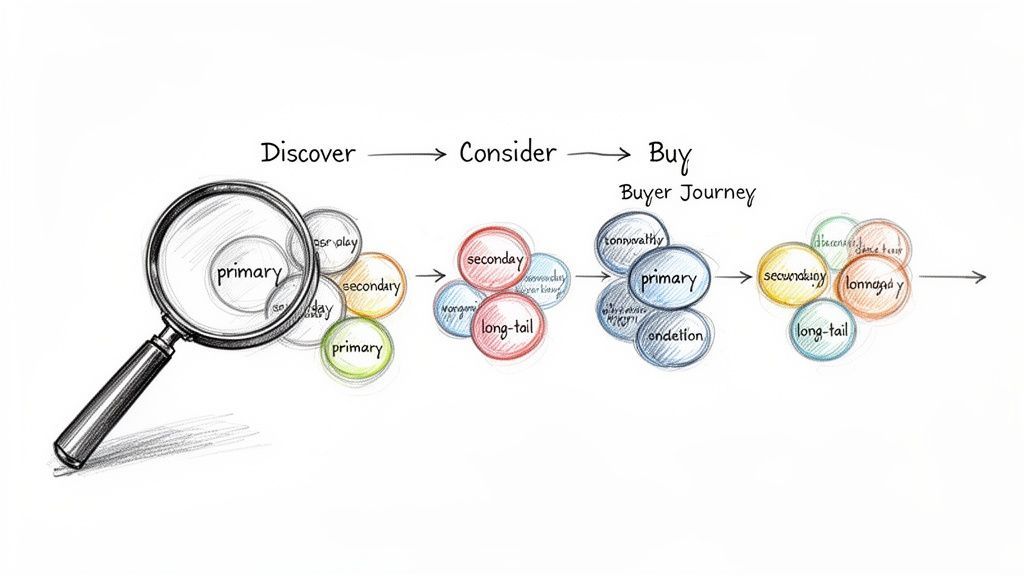
Once you have this comprehensive list, the real strategy begins. The next step in your amazon listing optimisation is mapping these keywords to where a customer is in their buying process. This ensures your title, bullets, and description speak to shoppers at every level of awareness.
Here’s how it breaks down in practice:
Awareness Stage: Shoppers are just starting out. They use broad, primary keywords because they know they have a problem but aren't yet sure of the perfect solution. Your title and main backend keywords need to use these terms so you can get discovered.
Consideration Stage: Customers are now comparing their options. They use secondary keywords to find specific features or benefits. Your bullet points and images must be optimized for these terms, clearly showing why your product is the best choice.
Decision Stage: These buyers are ready to pull the trigger. They use specific, long-tail keywords because they're looking for a product that checks all their boxes. Your A+ Content and detailed descriptions can seal the deal here by addressing their very specific needs and overcoming any final hesitation.
When you organize your keywords this way, you create a seamless listing that guides a customer from discovery to conversion. It's a strategic approach that not only boosts your organic ranking but also lays the foundation for a much more profitable PPC strategy down the road.
A compelling Amazon title is your first handshake with a potential customer. Get it right, and it sets expectations and practically begs to be clicked. Get it wrong, and you're invisible.
The key is to blend high-volume keywords with natural, readable language. You need to please both the algorithm and the human shopper, which means avoiding robotic keyword stuffing while maintaining absolute clarity. Everything else in your listing flows from the foundation you set here.
A strong title marries your primary keywords with the product's most important benefits. For instance, instead of just "Yoga Mat," a title like “Non-Slip Yoga Mat 1/4 Inch Thick with Carry Strap” hits the mark. It perfectly balances search intent with clear, practical value.
We've seen dozens of top sellers outperform competitors with titles that are simply more concise and readable. One fitness brand we worked with boosted its CTR by 18% just by rearranging the terms in their title for better flow.
"Clarity trumps cleverness every single time on Amazon. Shoppers don't have time to decipher what you're selling." – Jane Doe, Amazon veteran.
Think of your bullet points as your quick-fire sales pitch. They need to highlight your best features and proactively address any hesitation a shopper might have. Keep each bullet under 200 characters so they're easy to scan.
For example, a kitchen gadget listing used the bullet "Multi-Grip Handle for Slip-Free Use" to speak directly to the frustration of slippery utensils. That’s how you turn a simple feature into a solution.
Your product description is where you get to connect on a deeper, more emotional level. Don't just list specs; tell a quick story about how your product solves a real problem in the shopper's life. This is how you build rapport and genuine trust.
Feature
Benefit
Eco-Friendly TPE Material
Safe for your skin and the planet.
Extra-Long Size
Comfortably accommodates any height.
Carry Strap Included
Easy to transport to the studio or park.
This simple table structure helps guide buyers from technical features to real-world value.
Finally, use the backend search term fields to reinforce the key themes you've already highlighted. This locks in the consistency of your amazon listing optimisation from front to back.
For more deep-dive examples, check out our Crafting High Impact Bullets Guide.
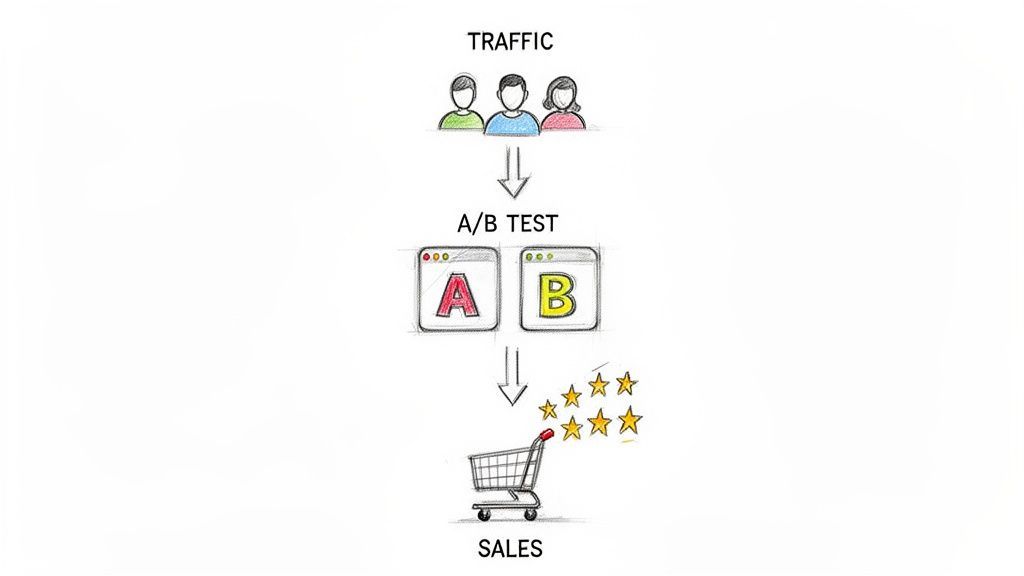
How do you know if your copy is actually working? You track everything. Monitoring your title's click-through rate and the listing's conversion rate will tell you exactly what resonates with shoppers. Use Amazon's "Manage Your Experiments" tool to A/B test two different titles and let the data decide the winner.
We've seen small phrasing tweaks lift conversion by 7% or more. Don't underestimate the power of a single word.
In one test, a brand simply swapped the phrase “multi-purpose” for “all-in-one” and saw an immediate jump in sales velocity. Making a habit of testing your copy every six weeks or so keeps your listing perfectly aligned with how shoppers are talking and thinking.
Once your foundation is solid, you can start layering in more advanced tactics. Weave in a sense of urgency with phrases like "Limited stock available" in your bullet points. It’s a classic for a reason. You can also tailor your copy to the calendar.
Writing copy that consistently converts is an ongoing process, not a one-time task. It’s a blend of data-driven testing and creative storytelling. Stick to this framework, and you'll build a listing that speaks directly to what motivates your customers, fueling sustainable growth for the long haul.
A great rule of thumb is to revisit and refresh your copy every quarter. This ensures you're keeping pace with evolving keywords and customer language.
Next up, we'll dive into how to use images and A+ Content to build even deeper trust and drive more sales.
If your listing's copy is the sales pitch, your visuals are the product demo. It’s that simple. On a digital shelf, shoppers can't touch, feel, or test your product, which makes your images and A+ Content the single most important tool you have for building trust. They answer unasked questions and show people exactly what they're getting.
Great visual content does more than just show off your product; it tells a story. It guides the customer through the key benefits, demonstrates the product in a real-world context, and helps them envision it solving their problem.
On the flip side, poor, low-quality, or confusing visuals create immediate friction and doubt. This is often enough to make a shopper click away without a second thought.
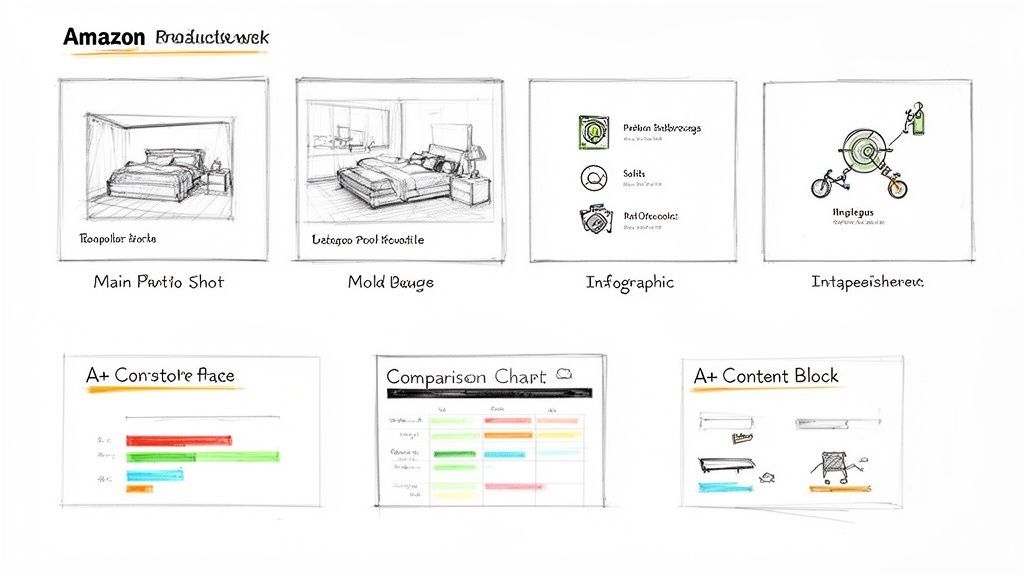
Your image carousel isn't just a gallery; it's a visual narrative. To really make it work for your amazon listing optimisation efforts, you need a strategic mix of different image types that inform, persuade, and build confidence all at once.
The Hero Image: This is your most critical asset. It has to be on a pure white background, showcasing only the product. Make it crystal clear, well-lit, and compelling enough to stop the scroll and earn that first click.
Lifestyle Shots: Show your product in action. Selling a yoga mat? Get high-quality photos of someone using it in a serene studio or a park. This helps customers connect with the product on an emotional level and see it as part of their own life.
Infographics and Callouts: Use these to visually highlight key features and tech specs. Point out the non-slip texture, the eco-friendly material, or the exact dimensions. This format makes complex information super easy to digest at a glance.
Comparison Charts: If you have multiple product variations or want to stand out from a key competitor, a comparison chart is incredibly effective. It clearly positions your product as the superior choice, simplifying the decision-making process for the shopper.
Instructional Images: Show how easy your product is to use, assemble, or clean. These images proactively address potential concerns and can cut down on negative reviews that come from simple user error.
And remember, Amazon requires images to be at least 1000 pixels on the longest side to enable the zoom feature. Always upload the highest resolution possible (up to 10,000 pixels) so shoppers can inspect every last detail.
For brand-registered sellers, A+ Content is a total game-changer. It replaces that plain text description with a visually rich, modular layout. This is where you can tell a deeper brand story, showcase unique product features, and even cross-promote other items in your catalog.
Think of A+ Content as your in-store display. It’s your chance to control the narrative and create a premium brand experience right on the product page. You can mix and match different modules—from large banners to detailed comparison tables—to guide the shopper through what makes your brand special. It's a powerful way to stand out in a crowded market.
A common mistake is just repeating information from the bullet points in the A+ Content. Don't do that. Instead, use this space to go deeper. Share your brand's origin story, explain the science behind your product, or provide a detailed "What's in the Box" breakdown.
The impact here is well-documented. Amazon's own data shows that listings with A+ Content can see conversion rates jump by 3-10% and traffic rise by 5-8%. You can learn more about how to maximize your product page performance. This isn't just about making things look pretty; it's a proven driver of sales.
To create A+ Content that actually works, you need a clear strategy. Don't just fill the modules with random pictures. Each section should have a specific goal.
Start with Your Brand Story: Use a large banner module to introduce your brand. What’s your mission? What makes you different? This builds an immediate connection.
Highlight Core Features Visually: Dedicate modules to showing off your top 2-3 features. Use high-quality images with concise text callouts to explain the benefits. For a coffee maker, you might show a close-up of the brew head with a note about optimal temperature control.
Use Comparison Tables Strategically: The A+ Content comparison chart is a powerful cross-selling tool. Use it to feature other products in your line, helping shoppers find the perfect item while increasing the chances of a larger order.
Keep It Scannable and Mobile-Friendly: A huge percentage of Amazon shoppers are on their phones. Use short sentences, bold headers, and plenty of white space. Avoid massive blocks of text that are a nightmare to read on a small screen.
As an Amazon Verified Partner, we consistently see brands achieve higher engagement when they invest in professional design and thoughtful A+ Content. You can view our Verified Partner badge to see what it takes to meet Amazon's high standards.
Ultimately, a well-executed visual strategy gives customers the confidence they need to hit "Add to Cart," making it an essential pillar of any successful Amazon listing optimisation plan.
What a shopper sees on your product page is only half the battle. The other half is won in the backend, a part of your listing that's just as crucial for success but often completely overlooked. This is where you speak directly to Amazon's A10 algorithm, giving it the raw data it needs to index your product correctly and serve it up to the right shoppers.
So many sellers just ignore these fields, but nailing your technical SEO is a core part of effective amazon listing optimisation. Getting this right gives you a serious leg up, helping you rank for a much wider net of search terms your competitors are probably missing entirely.
Think of the "Search Terms" field in your listing's backend as your secret weapon for indexing. It's the perfect spot to target keywords that didn't quite fit naturally into your title or bullet points—think synonyms, common misspellings, and those valuable long-tail variations.
It’s all about casting a wider net. If you’re selling a "stainless steel water bottle," your backend terms might include things like "metal canteen," "gym flask," or "reusable drink container." These are all legitimate terms real shoppers use, but stuffing them into your title would have made it unreadable and clunky.
Your backend search terms are not a dumping ground for keywords already in your title, bullets, or A+ Content. Amazon’s algorithm is smart enough to find those on its own. Repeating them is just a waste of valuable real estate that could be used for fresh, unique search queries.
To get the most out of this space:
Beyond that main search term field, Amazon gives you a bunch of other attributes that feed its algorithm vital information. These fields are what help categorize your product with laser precision, making sure it shows up in the right filtered searches and those all-important "frequently bought together" sections.
The most important ones to focus on include:
Filling these fields out meticulously is like handing Amazon a detailed map of your product's purpose. It lets the algorithm match your listing with highly specific searches, which almost always leads to higher conversion rates because the traffic is so much more qualified.
Populating your backend correctly has never been more important, especially with how Amazon's search algorithm has evolved. The A10 algorithm changed the game, shifting from a simple keyword-matching system to one that looks at the whole picture: sales velocity, authority, conversion rates, and even off-Amazon traffic signals. You can learn more about how the new algorithm impacts your strategy.
What this really means is that a technically sound listing—one that's indexed and categorized perfectly—is the foundation for everything else. Without it, your sales velocity will lag, and the algorithm will never truly understand who to show your product to. A complete and accurate backend ensures your product is seen as a relevant, authoritative choice for a huge range of customer searches, directly feeding the very signals the A10 algorithm loves.
Getting shoppers to your listing is only half the job; the real win is getting them to convert. A smart amazon listing optimisation strategy doesn't just stop once the page goes live—it’s a living thing. The final, and arguably most critical, phase is all about building social proof with reviews and using data to sharpen your conversion rate.
Think about it: an optimized listing with zero reviews is like a restaurant with no cars in the parking lot. It just feels off. Social proof is the engine that drives conversions on Amazon, and getting those first few reviews is non-negotiable for building the trust needed to turn a browser into a buyer.
Getting your first reviews has to be done by the book to avoid breaking Amazon's rules. The safest and most effective way is to use Amazon’s own programs, which were built for this exact purpose.
Amazon Vine: This is Amazon's invite-only program where trusted reviewers, called Vine Voices, get your product for free in exchange for an honest review. It’s not free, but it's the fastest path to getting high-quality, detailed feedback that builds credibility right out of the gate.
Request a Review: Inside Seller Central, you can use the "Request a Review" button for each order. This sends a standardized, totally compliant email to the buyer asking for both a product review and seller feedback. It's simple, safe, and effective.
These early ratings do more than just reassure shoppers. They send a powerful signal to the A10 algorithm that your product is a legitimate, quality option worth showing to more people.
Once you’ve got some traffic flowing and sales data trickling in, it’s time to stop guessing and start testing. Making changes based on a gut feeling can tank your conversion rate just as easily as it can help it. The secret is to change one thing at a time and measure the impact like a scientist.
This is where Amazon's "Manage Your Experiments" tool comes in. It’s a game-changer for brand-registered sellers, letting you run A/B tests on the most important parts of your listing to see what actually connects with customers.
A classic rookie mistake is testing too many things at once. If you change your title, main image, and A+ Content all at the same time, you'll have no clue which change actually moved the needle. You need clean, actionable data, and that only comes from isolating your tests.
I always recommend starting with the heavy hitters: your main image or your title. For instance, run a test comparing a clean, white-background product shot against a lifestyle image. See which one gets more clicks and, more importantly, more sales. Let the experiment run for at least four to six weeks to get enough data for a confident decision. Once you have a clear winner, implement it and move on to the next test. This creates a powerful feedback loop that drives consistent, data-backed improvement over time.
When you're deep in the trenches of Amazon, questions are going to pop up. Here are a few of the most common ones we hear from brand owners, along with our straight-to-the-point answers.
Think in quarters, not days. You should absolutely review your listing's performance every quarter, but you should only push major updates if your traffic or conversion rates take a hit.
Constantly tweaking your listing can mess with Amazon's algorithm and hurt your ranking. Save the big changes for structured A/B tests or when you see clear shifts in what customers are searching for. A "set it and forget it" mindset will get you left behind, but so will obsessive daily tinkering.
Nope, those days are long gone. Amazon no longer supports HTML tags in standard product descriptions. If you try to sneak some in, you'll likely end up with broken formatting or even a policy warning.
The right way to create visually rich, engaging content is with A+ Content. It's available to all brand-registered sellers and gives you way more creative freedom to build a compelling brand story right on your product page.
Without a doubt, the biggest and most damaging mistake is "keyword stuffing." This is when sellers just jam a bunch of keywords into their title and bullets without caring if it makes sense to a human reader.
Amazon's A10 algorithm is smarter than that—it cares deeply about user experience and conversion rates.
A listing that sounds like a robot wrote it will scare away real customers. That kills your conversion rate and tells Amazon your product isn't a good match, which tanks your ranking. The goal is to weave keywords into persuasive, benefit-focused copy that convinces a person to click "Add to Cart."
Ready to turn your listings into sales machines? Clickstera Solutions LLC offers full-service account management and advanced advertising strategies to scale your brand on Amazon. See how we drive profitable growth at https://clickstera.com.
Talk to Clickstera and get a clear next-step plan to scale your performance marketing.