
Loading article
Loading page...

Most Amazon listings don’t fail because the product is bad, they fail because customers can’t find them. It’s a mix of art and science: mastering keyword research, writing copy that actually converts, and using visuals that stop the scroll.
The entire process hinges on a few core ideas: discovering what customers are actually searching for, placing those exact phrases in the right spots (like your title and bullets), and making sure Amazon’s A10 algorithm sees and understands your product. Nail this foundation, and you’ve built the engine for visibility and sales.
It all starts with the language of your customer. You could have the most incredible product on the market, but if shoppers can’t find it, it might as well be invisible. Effective Amazon listing optimization kicks off with a deep, based on real search data. Guessing keywords is why most listings never rank; it’s about uncovering the exact phrases that signal a strong intent to buy.
You’re not looking for a few keywords. You’re building a map. This map should include everything from broad, high-volume keywords to those super-specific, long-tail phrases that drive the best conversions.
Think of it this way: a shopper searching for “running shoes” is just browsing. But someone searching for “women’s trail running shoes for wide feet size 8” is holding their credit card. Your listing needs to be visible to both.
First things first, you need to compile a master list of every possible keyword. Tools like Helium 10 and Jungle Scout are indispensable here. They let you peek into what your competitors are doing and analyze real search volume data.
I always start by reverse-engineering the listings of the top three to five sellers in my category. What are the main keywords they consistently use in their titles? Those are your foundational terms.
Next, it’s time to expand. Look for secondary keywords—these are terms that add more context, like features, materials, or how the product is used. For a yoga mat, your primary keywords might be “yoga mat” or “exercise mat.” Your secondary terms could be “non-slip TPE yoga mat” or “thick exercise mat for pilates.”
Don’t forget to dig into customer reviews and the Q&A sections. This is where you’ll find gold: long-tail keywords that reveal the specific problems customers are trying to solve.
The whole keyword process boils down to a simple, repeatable flow: discover, map, and get indexed.
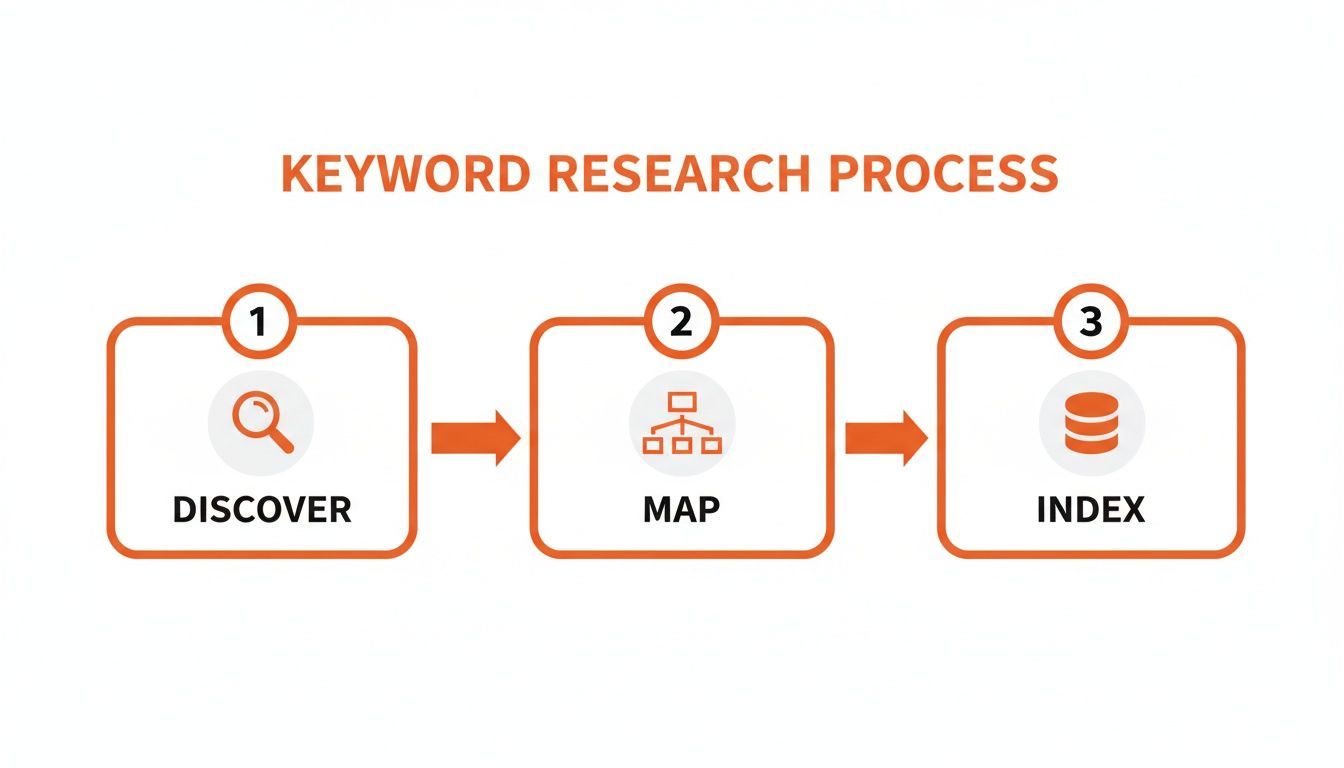
This flow shows how a winning strategy moves from broad discovery to precise keyword mapping, and finally, to making sure Amazon’s algorithm correctly indexes the listing for those terms.
Finding keywords is the easy part. Placement is where most sellers mess it up. Different parts of your listing have different weights in Amazon’s algorithm. Placing keywords strategically ensures you get maximum credit without wasting valuable space. This table provides a blueprint for how to allocate your keywords for the best results.
Listing Element
Keyword Type
Best Practice Example
Strategic Purpose
Title
Primary & Secondary Keywords
“Thick Non-Slip TPE Yoga Mat for Women”
Maximum SEO weight. This is the most critical field for ranking on your most important terms.
Bullet Points
Benefit-Driven Secondary Keywords
“Our eco-friendly yoga mat provides extra cushioning…”
High relevance and conversion. Answers customer questions and gets you indexed for feature-specific terms.
A+ Content
Long-Tail & LSI Keywords
“…ideal as a home workout mat for bad knees.”
Indexing for nuanced search queries. Good for storytelling and hitting very specific customer needs.
Backend Search Terms
Synonyms, Misspellings, Foreign Language
“yogamat, piltes, esterilla de yoga”
Spreading your keywords out like this tells Amazon that your product is relevant for a wide range of searches, from the very broad to the hyper-specific. This diversification is key to casBroadens your reach. A hidden field to capture related searches without cluttering your public-facing copy.ting the widest possible net.
Finding keywords is only half the battle. You also have to make sure Amazon’s A10 algorithm actually understands what your product is and connects it to those search terms. This process is called indexing.ms—you’re telling
When you include a keyword in your listing—whether it’s in the title, bullets, or backend search terAmazon, “Hey, when a customer searches for this, show them my product.”
You can run a quick check to see if you’re indexed. Just type your product’s ASIN followed by the keyword into the Amazon search bar (e.g., “B098765432 yoga mat“). If your product shows up, you’re indexed. If it doesn’t, that keyword isn’t placed effectively enough in your listing.
Key Takeaway: Amazon doesn’t give you credit for the same keyword twice. Stuffing “yoga mat” into your title, bullets, and backend search terms is just redundant. The A10 algorithm is smart enough to pick it up from just one of those spots, so use that extra space for another valuable keyword.
This idea of strategic placement is central to great optimization. You have limited real estate, and every character counts. By diversifying your keywords across the different parts of your listing, you cast a much wider net and increase your chances of being discovered. This approach also lays the perfect groundwork for paid advertising, since a well-indexed listing is the bedrock of any successful PPC campaign. To dig deeper into how this works, check out these Amazon SEO optimization techniques to complement PPC campaigns.
Alright, you’ve got your keyword map ready to go. Now it’s time to turn that raw data into copy that actually sells. Your title, bullet points, and description are where the magic happens for your on-page optimization. They need to work in perfect harmony to convince both Amazon’s A10 algorithm and a real, live shopper that your product is the one to buy.
Think of your title as your digital billboard. On a crowded search results page, it’s often the only thing a customer sees. It has to do a lot of heavy lifting in a tiny amount of space.

This isn’t about mindlessly stuffing keywords into your listing; it’s about crafting a clear message that connects with a person’s needs and gets them to click.
Your title is, without a doubt, the single most important piece of real estate for keyword ranking. The goal here is a structure that’s both readable for humans and loaded with the search terms that matter most to the algorithm. I’ve found a simple, repeatable formula works best to balance SEO and user experience.
A strong title structure looks something like this:
This approach front-loads the most critical information, which is a game-changer for mobile shoppers who might only see the first 60-80 characters. By getting your most important keywords in early, you maximize your visibility and your click-through rate.
Pro Tip: Stay away from using all caps, subjective claims like “Best Seller,” or a bunch of flashy symbols. Amazon’s algorithm can penalize this, and frankly, it just looks spammy to shoppers and erodes trust.
If the title gets the click, the bullet points are what close the deal. This is your chance to go beyond just listing dry features and start showcasing real-world benefits. Remember, people don’t buy a drill; they buy the hole it makes. Your bullets need to connect the “what” (the feature) to the “why” (the benefit).
A fantastic way to figure out these benefits is to dive deep into your competitor’s customer reviews and Q&A sections. What questions keep popping up? What problems are people trying to solve? Each of your bullet points should be a direct answer to one of those pain points.
For instance, instead of just saying:
Flip it into a benefit that solves a problem:
See the difference? This structure immediately tells the customer what’s in it for them. You’re not just selling a product; you’re selling a solution. Focusing on benefits like this is a core part of improving your eCommerce conversion rates.
Finally, the product description is where you tie everything together into a neat package. While it doesn’t carry as much weight for keyword indexing as the title and bullets, it’s your dedicated space for brand storytelling and overcoming any last-minute purchase hesitations.
Use this section to talk about your brand’s mission, explain how your product is made, or walk through detailed use-case scenarios. I recommend using simple HTML like bolding (text) and line breaks () to make the text easy to scan.
These days, many top sellers use A+ Content here, which lets you add rich media like images and comparison charts. But the core principle is the same: build trust and answer any lingering questions a shopper might have.
Keep in mind that Amazon’s A10 algorithm is always getting smarter. It’s no longer just matching keywords; it’s now heavily focused on relevance, customer engagement, and conversion history. In fact, marketplace data suggests that over 80% of your ranking success is determined by these on-page factors.
A great example comes from a supplements brand we worked with that was struggling with slow growth. Using keyword tools, they found “collagen peptides powder unflavored” had 80,000 monthly searches. By crafting a new title—”Clickstera Collagen Peptides Powder 20g Hydrolyzed Type I & III – Unflavored 1LB for Skin Hair Nails Keto Paleo Grass-Fed”—and writing benefit-driven bullets, they saw a massive boost in performance almost immediately.
In the world of online shopping, your product visuals are your storefront. They’re your salesperson and your product demo, all rolled into one. Great copy is non-negotiable, but it’s the images and videos that actually stop a scroller mid-thumb-flick and pull them into your world.
A weak visual strategy is a direct path to a low conversion rate. It’s that simple.
Think of it this way: your title and bullets might earn you the click, but your visuals are what truly convince a customer to hit “Add to Cart.” This is your chance to answer the questions they haven’t even thought to ask yet and build the confidence they need to buy.
To create a complete visual narrative, you need more than just a couple of basic photos. A well-rounded image gallery tells a story and proactively knocks down customer objections. I always advise clients to aim for a “stack” of at least seven distinct image types to cover all the bases.
Here are the non-negotiables:
This combination of images works together to build a comprehensive picture of your product, answering questions visually and building a strong case before the customer even reads a single bullet point.
If a picture is worth a thousand words, a video is worth a thousand sales. Adding a product video to your listing can dramatically lift conversion rates, often because it demonstrates value in a way static images just can’t. A simple 30-60 second video can be a total game-changer.
And no, you don’t need a Hollywood budget. Focus on a clean, well-lit demonstration that highlights the product’s main benefit or solves a common pain point. For a piece of kitchen gear, a quick demo showing how easily it chops vegetables is far more powerful than a paragraph of text talking about blade sharpness.
Key Insight: Video is incredibly effective at building trust. It provides a real-world look at your product that photos can’t always capture, helping to bridge the gap between the digital and physical experience for the shopper.
For brand-registered sellers, A+ Content is your opportunity to build a custom landing page right inside your product detail page. This is where you graduate from listing simple features and start telling a compelling brand story. The A+ Content Manager in Seller Central is your dashboard for making it happen.
Here’s a look at the A+ Content Manager, which is where you’ll start building out your modules.
This interface lets you mix and match different modules, like comparison charts and image-with-text layouts, to design a rich, engaging experience that builds serious brand equity.
Using a strategic mix of A+ Content modules can boost sales by an average of 5-10%. Use comparison charts to clearly show why your product is superior to competitors. Use high-quality brand imagery to convey a premium feel and build a real connection with your target audience. This is your chance to overcome any final purchase objections and lock in the sale.
Let’s look at a real-world example. IWe see this all the time: solid product, page 6 rankings, barely moving. The seller rolled out a complete visual overhaul: nine high-resolution images, including lifestyle shots and infographics comparing its 6mm thickness to the 4mm industry standard, plus a video demo. They also added A+ Content with comparison charts highlighting 20% better durability. The result? Within 60 days, the conversion rate shot up 156%, and overall revenue climbed 240% in a brutally competitive category. You can read more about this powerful case study over on edesk.com.
What shoppers don’t see can be just as important as what they do. While your title and bullet points are your customer-facing sales pitch, the backend of your listing holds a powerful, hidden tool for driving traffic: the Search Terms field.
This is your secret weapon for indexing on hundreds of additional keywords without making your front-end copy look cluttered or spammy.
Think of this field as a dedicated space to talk directly to Amazon’s A10 algorithm. It’s a 250-character treasure chest where you can deposit all the valuable keywords that don’t quite fit or feel natural in your title and bullets. Getting this right is a non-negotiable step in building a fully optimized Amazon listing.

Unlike your polished front-end copy, the search terms field is all about raw data input. It’s where you can get a little messy for the sake of the algorithm.
To make every one of those 250 characters count, you need to focus on keywords that will broaden your net. This field is perfect for capturing search queries that are relevant but might not be top-priority enough to earn a spot in your title.
Here’s a quick checklist of what you should prioritize:
This strategy ensures you show up for a much wider variety of searches, catching customers who use different vocabulary to find the exact same product.
Amazon has specific rules for this field, and following them is crucial for your terms to actually get indexed. Break these rules, and you’re just wasting valuable space.
Crucial Reminder: There is absolutely no need to repeat any keywords that are already in your title, bullet points, or A+ Content. Amazon’s algorithm already sees them. Use this space only for new, unique terms.
Do:
Don’t:
In the hyper-competitive Amazon world, where over 2.7 billion monthly visits occur, maximizing every optimization point is critical. Backend search terms are a prime example. This hidden 250-character field lets you stuff extra keywords like synonyms and long-tail phrases (e.g., ‘wireless earbuds noise cancelling bluetooth 5.3 sweatproof gym running’) without messing up your customer-facing copy. You can learn more about how brands are using every available tool to succeed by exploring more insights on 2025 listing optimization strategies.
You could have the most perfectly crafted listing on Amazon—flawless keywords, brilliant copy, stunning visuals—but it can still fall flat if the price is wrong or your reviews are terrible. These elements aren’t just afterthoughts; they are direct signals to Amazon’s A10 algorithm that your product actually converts and keeps customers happy.
Think of it this way: your listing is the car, but pricing, reviews, and your seller performance are the engine.
When you get these right, you create a powerful flywheel effect. A competitive price helps you win the Buy Box, which turn views into sales. More sales lead to more reviews, which builds crucial social proof. That social proof and strong sales velocity then tell Amazon to rank you even higher. It all works together.
Pricing on Amazon is a delicate balancing act. Go too high, and you’ll lose the Buy Box and kill your conversion rate. Go too low, and you might as well be giving your product away. The goal is to land in that “sweet spot” that maximizes both sales velocity and your profit margin.
Start by doing some serious competitive analysis. Don’t just glance at the lowest price on the page—dig into the top 5-10 sellers for your most important keywords. What’s their average price? Are they running coupons or promotions? This simple exercise gives you a clear market range to operate within.
Next, you have to know your numbers. Factor in everything—manufacturing, shipping, and all the Amazon fees—to calculate your break-even point. If you’re not sure, Amazon’s own Revenue Calculator is a decent place to start. Once you know your absolute floor, you can start strategically testing different price points and watching how your sales and session conversion rates respond.
Expert Tip: Don’t be afraid to use Amazon’s promotional tools. A well-timed coupon or a “Subscribe & Save” discount can be a massive catalyst. It can kickstart sales for a brand-new product or help you move slow inventory, and both of those are positive signals for the A10 algorithm.
In the world of e-commerce, reviews are currency. They are one of the single biggest factors influencing a customer’s decision to buy, and they have a huge impact on your organic ranking. A listing with a handful of reviews will almost always get crushed by a competitor with hundreds, even if its copy isn’t quite as polished.
Just waiting for reviews to trickle in organically is a slow, painful way to grow. You need a proactive strategy to build that social proof right from day one.
Here’s how to get the ball rolling:
Building a steady stream of positive reviews is absolutely fundamental. A strong review count and a high average star rating directly boost your click-through and conversion rates—two of the most critical metrics for learning how to increase Amazon sales across your entire catalog.
Finally, let’s talk about something that often gets overlooked: your overall account health. Amazon heavily favors sellers who provide an excellent, reliable customer experience. Things like your inventory health, how fast you ship, and your seller feedback all contribute to your ability to win and hold the Buy Box.
A high In-Stock Rate is non-negotiable. Every time you stock out, you’re not just losing sales; you’re telling Amazon you’re an unreliable seller, and your rankings will plummet. Use inventory management tools to forecast demand and keep this from happening.
Your Order Defect Rate and shipping performance are also under a constant microscope. You absolutely must ensure products are shipped on time and arrive exactly as described. These operational metrics are the foundation—without them, even the most brilliantly optimized Amazon listing will struggle to ever reach its full potential.
Even when you’ve got a solid plan, optimizing Amazon listings comes with its own set of nagging questions. It’s totally normal to hit a roadblock or two. Below, I’ve put together some quick answers to the questions we hear all the time from sellers just trying to get their products found and bought.
Think of this as your quick-reference guide for everything from keyword hiccups to keeping up with Amazon’s ever-shifting algorithm.
There’s no single “right” answer, but a good rhythm is to give your main listings a thorough review at least once per quarter. You should plan for a major overhaul once a year or anytime you see a serious dip in performance.
The real key is to keep an eye on your metrics. If your conversion rate suddenly tanks or a new competitor blows past you in the rankings, that’s your cue to jump back in and figure out what’s changed.
Plus, Amazon is always tweaking things. A feature or strategy that worked wonders six months ago might be outdated today, so staying on top of it is non-negotiable.
Absolutely not. It’s a tempting shortcut, but it’s a direct violation of Amazon’s rules. Never put a competitor’s brand name in your title, bullets, description, or even your backend search terms.
It’s a fast track to getting your listing suppressed or, even worse, your account suspended.
The risk just isn’t worth it. Focus your energy on winning with relevant, non-branded keywords that actually describe what your product does for the customer.
Great question. Sellers mix these two up all the time, but they serve different functions in the backend of your listing.
While both fields help Amazon index your product, the main Search Terms field carries more weight with the algorithm. To get the best results, you need to max out both.
Key Takeaway: Amazon’s A10 algorithm is hungry for information. It pulls data from every single field available. A truly optimized listing leaves no stone unturned, using every front-end and back-end opportunity to tell Amazon exactly what your product is and who it’s for.
This is probably one of the most frustrating issues sellers face. You know you put the keyword in your listing, but when you do an “ASIN + keyword” search, your product is nowhere to be found. Here are the usual suspects.
First, double-check for any policy violations. Did you accidentally use a restricted term or a competitor’s brand name? Amazon’s system will just ignore it.
Next, look at where you placed the keyword. The title, bullet points, and the generic keywords field are the power players. If you tucked it away deep inside your A+ Content, it might not have enough juice to get indexed properly.
Finally, just give it a minute. Sometimes it can take Amazon’s system 24-48 hours to fully crawl and index your changes. If you’re still not indexed after a couple of days, it’s time to rethink the keyword’s placement or relevance.
Here’s a quick table to summarize some of the top questions we get.
Question
Answer
How long does it take for listing changes to take effect?
Typically, changes appear within an hour, but indexing for new keywords can take up to 48 hours.
What’s the most important part of the listing?
The title. It holds the most weight for keyword ranking and is the first thing a customer reads.
Should I use all caps in my title or bullets?
No. It’s against Amazon’s style guidelines and can make your listing look spammy, hurting conversions.
Does A+ Content help with SEO?
A+ Content text and images are indexed, but they carry less weight than the title, bullets, and backend terms. Its main job is to boost conversion rates.
Can I repeat keywords in different fields?
Avoid it. Repeating keywords wastes valuable space. The algorithm only needs to see it once to index it.
Hopefully, these answers clear up some of the common hurdles you might face.
If you stop optimizing, someone else passes you. That’s Amazon; it’s a continuous cycle of research, testing, and adapting. Having a partner who lives and breathes the Amazon marketplace can be the difference between hitting a plateau and achieving explosive growth. Clickstera Solutions LLC offers full-service account management and what’s working right now, designed to help great brands scale faster and win on Amazon.
Ready to see what a performance-focused approach can do for your sales?
Learn more about our Amazon management services and schedule a consultation today.
Talk to Clickstera and get a clear next-step plan to scale your performance marketing.